MetaTrader 5 (MT5)
Trade CFDs on your favourite trading instruments using the MetaTrader 5. A powerful platform for currency pairs and other financial instruments CFD trading, the MetaTrader 5 is free to download on WFICM Markets.
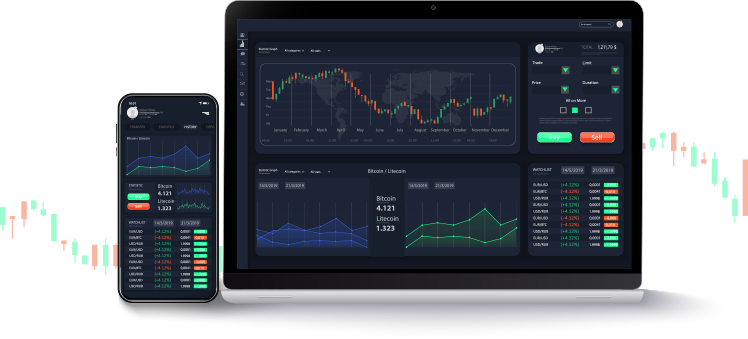
MetaTrader 5 Main Features

On MetaTrader 5, you can develop trading robots and technical indicators through the specialized MT5 Editor tool. As the tool is linked with the platform, new programs will automatically appear in your MetaTrader 5 and can be executed instantly.

The wide selection of indicators provided on the platform will simplify market analysis for traders and help them keep track of trends, enabling more informed decision-making.

With WFICM Markets on MetaTrader 5, you can engage in trading through the hedging mode feature. This method enables you to execute several positions, including directly contrasting positions, for any given trading asset.

1分から1ヶ月間隔で、最大21の時間枠で、同時にリアルタイムの価格の動きを視覚的に監視します。この機能により、トレーダーは即座に引用変更に応答し、またクォート履歴をコンパクトな形式で保存することができます。

内蔵の経済カレンダーなど、独自の取引プラットフォーム上のファンダメンタルズ分析ツールを使用して市場機会を捉えます。最新のニュースイベント、予想される市場への影響、予測を常に把握してください。

取引プラットフォームに金融商品を取引すると、38内蔵インジケータ、22の分析ツール、46のグラフィカルオブジェクトでの取引体験を強化します。
About MetaTrader 5 Platform
The fifth version of MetaTrader, known as MetaTrader 5, brings enhanced features and capabilities compared to the previous version, quickly gaining popularity among forex traders and brokerage services worldwide.
How MetaTrader 5 Platform was Developed
Effective trading hinges on having access to convenient and sophisticated tools, and MT5 software corporation provides just that with its MetaTrader 5 platform, a formidable trading terminal suitable for traders across all experience levels.
Since its introduction in 2010 by the financial trading software development firm, MetaTrader 5 has quickly gained popularity among traders, brokers, and those who provide investment or brokerage solutions.
As the successor to the successful MetaTrader 5 Platform, this multi-asset platform caters to traders’ demands by enabling not only currency trading but also access to nearly all financial markets, including futures trading.
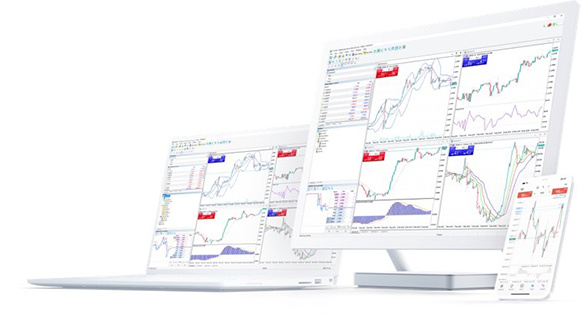
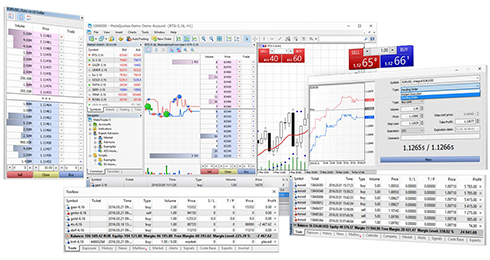
Usage of MetaTrader 5 Platform
基本的および技術分析、取引シグナル、アルゴリズム取引 - 取引プラットフォームは、取引経験を強化するツールの武器を提供します。このプラットフォームには、市場を最新の状態に保つためのトレーダーの最新の財務ニュース報告書の放送もあります。
独自の取引プラットフォームの取引シグナルとコピー取引機能を使用すると、トレーダーは成功したトレーダーのシグナルに従い、その取引戦略と注文をコピーすることができ、それらはあなたのアカウントに自動的に再現されます。
ソーシャルトレーディングソリューション
資金管理の柔軟性を高め、より多くのトレーダーを魅了します。自分で取引したくないクライアントは、自分の取引口座をマネーマネージャーに委託し、選択したリスクを伴う取引戦略に従ってください。

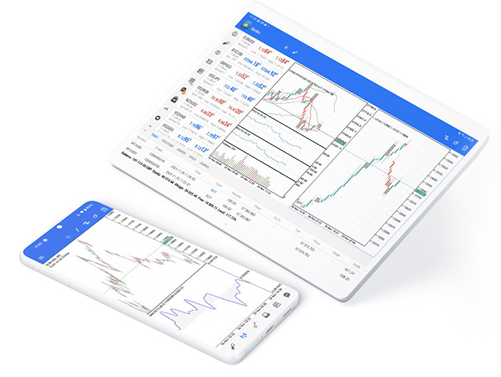
Mobile Trading and MetaTrader 5
The trading terminal isn’t limited to desktops running Windows, macOS, or Linux. Busy traders can engage in mobile trading right from their iOS and Android smartphones and tablets. With essential trading features like order placement, interactive charts, and well-known analytical tools at your fingertips, you can easily keep track of your account and trade on the go with just one click.


強力なマルチアセットプラットフォーム
MT5 Desktop Trading Terminal
- 200以上のトレーディング楽器
- 6アセットクラス
- 5トレーディングアカウントの種類
- 0.0と同じくらい低く広がります
- 0から始まる委員会
- 8保留中の注文タイプ(購入、売り切れ、買い制限、販売制限、販売の停止、停止、停止制限、停止制限を売る)
- 21時間枠と3チャートタイプ
- Windows、Macos、Linuxに利用可能です
- インスタント実行と市場の実行
- ヘッジシステム
- 38 inbuilt indicators and 22 analytical tools
- Inbuilt forex calendar
- レベル2の引用符がサポートされています
- 末尾の停止、テクニカル分析、およびカスタムインジケータ、エキスパートアドバイザー(EAS)とスクリプト
あなたがMT5を取引できるもの
WFICM マーケットでは、外国為替通貨ペア、金属、仮想通貨、株、指数、エネルギーの取引を含む 200 以上の商品の CFD 取引を楽しむことができます。
外国為替
There are more than 100 currency pairs available for CFD trading on MT5 in WFICM Markets. We offer major currency pairs, including EURDUSD, GBPUSD and USDJPY, and minor currency pairs. There is also a long list of exotic pairs available for you to trade CFDs on.
金属
On MT5 with WFICM Markets, you can trade CFDs on metals in the form of currency pairs, which include XAUUSD, XAUEUR, XAUGBP, XAUAUD and BTCXAU for gold and XAGUSD, XAGEUR, XAGGBP and XAGAUD for silver. You can also trade on platinum (XPT) and palladium (XPD) in currency pairs.
クリプトコルレンシー
You can trade in the most popular cryptocurrencies in currency pairs on MetaTrader 5 Platform. These include CFDs on Bitcoin, Ethereum, Ripple, Litecoin and Bitcoin Cash, with Bitcoin available in BTCUSD, BTCKRW, BTCJPY and more.
STOCK, INDICIES & ENERGIES
現在、MT5の貿易業者は、当社のウェブサイトにリストされている80以上の株式、およびUS30、DE30、HK50、UK100、およびAUS200を含む10個のインデックスを含むCFD取引を実行できます。エネルギーに関しては、私たちはウク瓶とUSOLにCFDを提供しています。
Prince MarketsでMT5アカウントを開く方法 WFICM MARKETS
PTPアカウントへのログイン方法
Windows、MacOS、およびLinuxの場合:
- PCの取引端末を実行してください
- 端末で、 'file'をクリックしてから「トレードアカウントにログイン」を選択します。
-
次に、ログインとしてアカウント番号を入力し、アカウント取引パスワードとサーバーのアカウントが登録されていました。
ログインしたら、ログインを確認するチャイムが聞こえます
Before you can start trading, first open a Standard or Professional MT5 account with WFICM Markets. Upon successful account registration, you will be able to find your PTP account details listed in your Personal Area.
よくある質問
独自の取引プラットフォームの使用に関してよくある質問への回答をご覧ください。
For the MT5 Platform desktop terminal, you will need to login to your trading account. To login:
'file'をクリックしてから「トレードアカウントへのログイン」
ログイン、パスワード、サーバーを入力します(パスワードがあなたの取引口座に設定しているものと同じ)個人領域のあなたの取引アカウントであなたの取引アカウントで見つけることができます)を入力してください)
正常にログインしたら、ログインを確認するチャイムが表示され、取引を開始できます。
For guidelines on how to log into other MetaTrader 5 platforms on WFICM Markets, visit our Help Center.
MT5取引アカウントを作成したら、通貨ペア、金属、他の多くの商品のCFDに新しい注文を配置できます。 MetaTrader 5デスクトップ端末の場合:
ツールバーの「新規注文」をクリックするか、「マーケットウォッチ」ウィンドウで希望の外国為替通貨ペアをダブルクリックして、新しい注文を開きます。
シンボルを選択した後、ボリューム、ストップロス、テイクプロフィットを設定します。
次に、「成行執行」または「未決注文」のいずれかを選択します。
次に、貿易を開くために「市場で売る」または「市場で購入」をクリックしてください。
注文をダブルクリックして[市場で閉じる]ボタンをクリックして注文をクリックして[注文を閉じる]を選択して注文を閉じることができます。
他のMetaTrader 5プラットフォームでは、私たちのヘルプセンターで見ることができるトレードを公開する方法がわずかに異なるかもしれません。
Developed by MetaTrader, MetaTrader 5 is not just popular for its tools and features, but also for its safety. The MT5 platform securely encrypts all transmitted data between traders and the platform servers, making sure that your trading accounts, transactions and data are protected.
MetaTrader 5 is free of charge. WFICM Markets does not charge any fee for downloading or using any of the various options of the platform. However, the Internet connection to use the trading terminal and other related fees are the trader’s responsibility.